R = 48.00
AUTO TRACEabout 42 nodes
TRUE CIRCLE1 primitive
Circles stay circles
A chain that is a whole circle or circular arc becomes exact cubic curves, so a round logo stays a true circle instead of a chain of small segments.
 Tracewright
Tracewright turns logos, icons and flat-color artwork into vectors with geometry that stays true: circles and arcs, straight edges and real rounded corners — ready to edit and reuse.
One-time payment · launch offer · checkout by Gumroad
No Gumroad account required. Enter your email at checkout to receive your purchase.
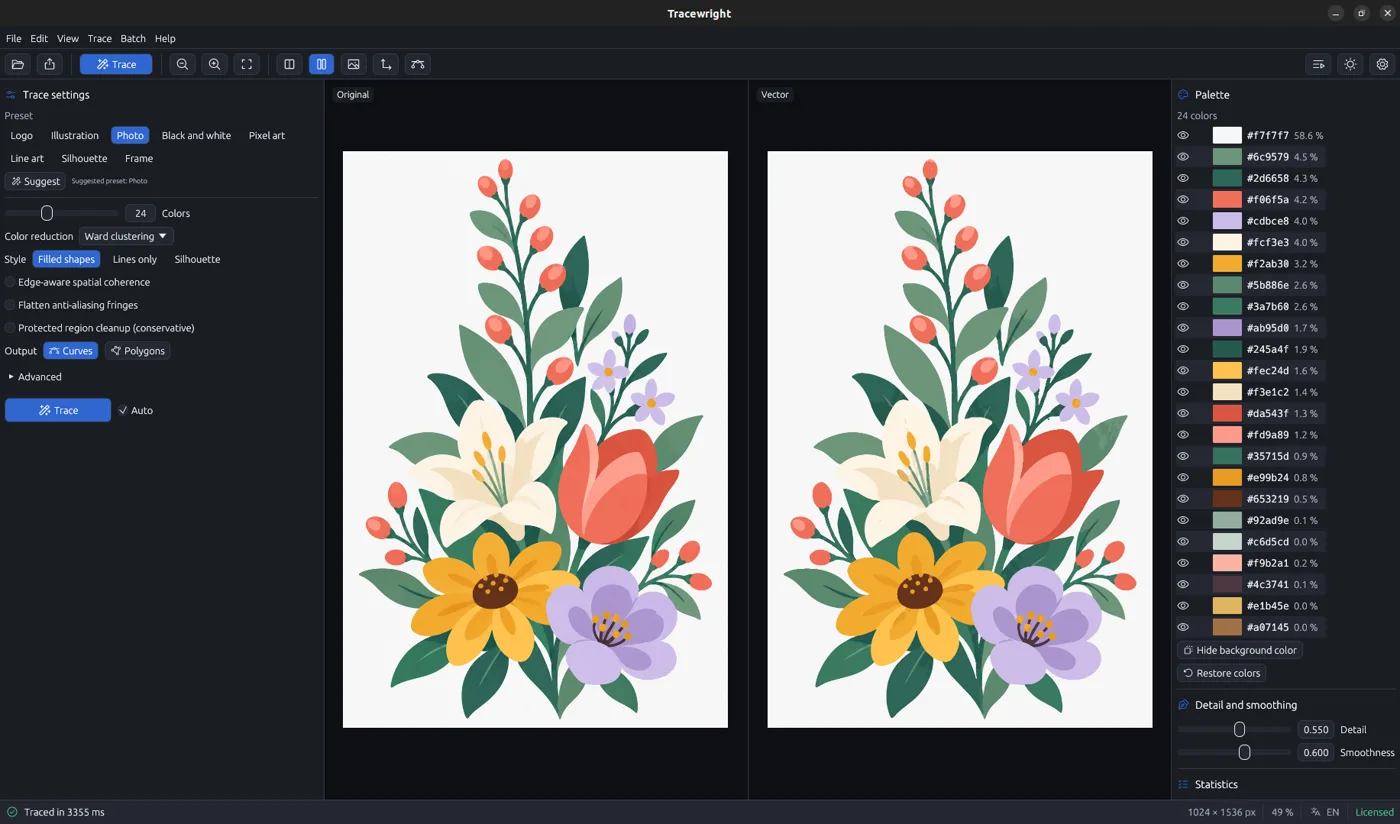
The real Tracewright window · botanical illustration traced with 24 colours in 3.4 s
A bitmap edge is not always a curve. Tracewright fits each boundary with the geometry that belongs there, so the result stays easier to edit and reuse.
A chain that is a whole circle or circular arc becomes exact cubic curves, so a round logo stays a true circle instead of a chain of small segments.
Long straight stretches become exact lines, snapped to the axes when they are nearly aligned. Rounded corners are built with tangent arcs, and everything else is a least-squares Bézier fit.
Shared boundaries prevent gaps and overlaps; an underlay below the fills hides the thin light lines some viewers show, and it is on by default (switchable off).
Near-identical colours and anti-aliasing blends are merged before tracing, so flat-colour artwork stays calm instead of splitting into noisy near-duplicate fragments.

Every colour region becomes a filled shape. The palette lets you hide a colour, edit it, hide the background and copy it as #RRGGBB.

One solid shape in the colour you choose, with optional hole filling, largest-piece-only and invert toggles for a clean cut path or mask.
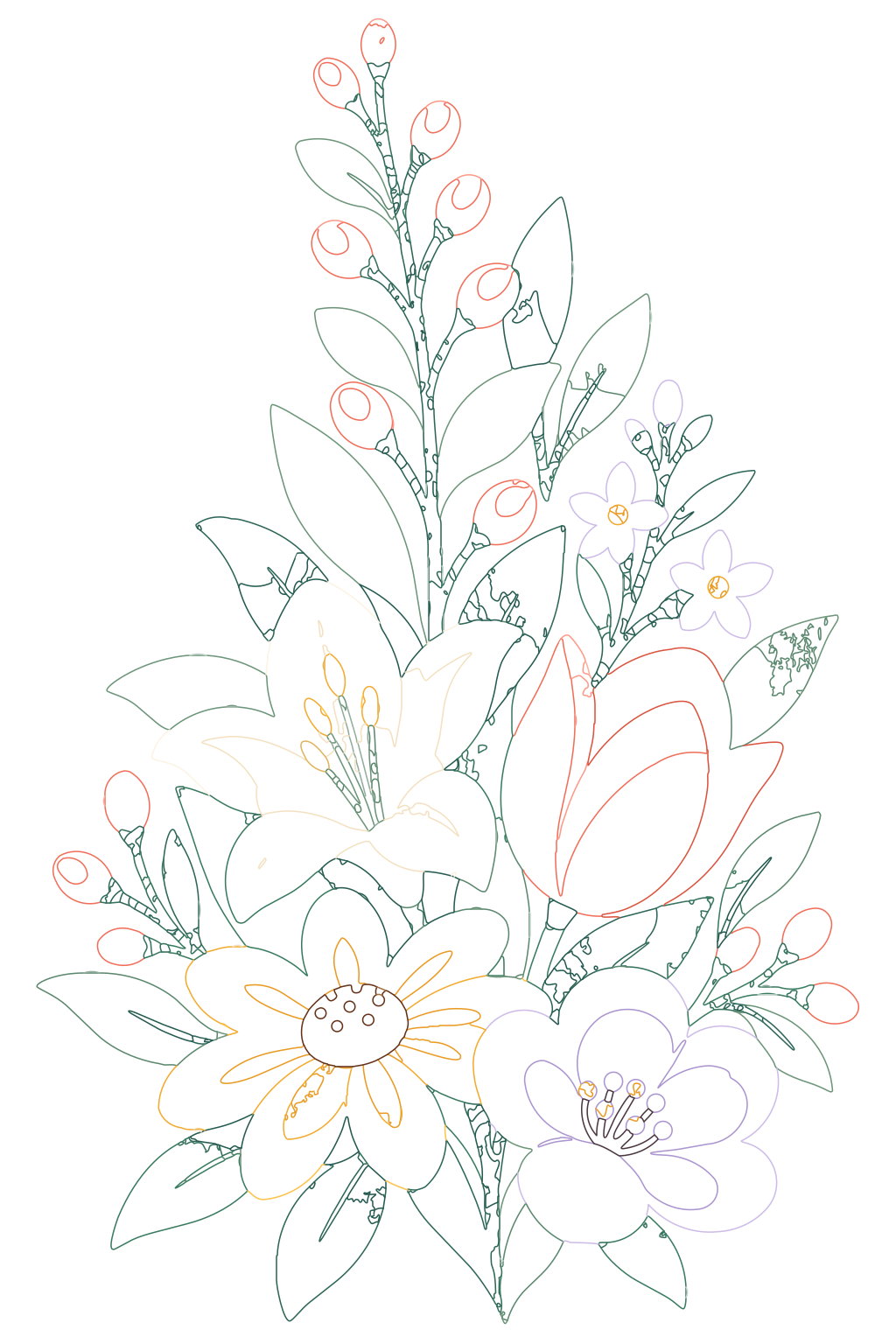
Only the strokes, traced as centre lines with the ink’s measured thickness and no fills.

A silhouette with holes filled and a single contour, canvas fitted to the shape. A Canva frame also needs the "Canva frame" checkbox when exporting to PDF: never on by default and not saved.


Drop in a PNG, JPEG, BMP, GIF, TIFF, WebP or AVIF, or a whole folder through batch mode.
Pick one of eight presets (Logo, Illustration, Photo, Pixel art, Line art and more), or let Suggest inspect the image and propose one. Press F5 to trace; it retraces automatically on change.
The split view shows the original and the vector side by side. The statistics panel lists shapes, nodes and the average error, and the status bar shows the trace time.
Save SVG, PDF, EPS, AI-compatible, DXF or EMF with Ctrl+E, or copy the SVG with Ctrl+C and paste editable paths into Figma. Canva does not accept a pasted vector.
The AI-compatible export opens in Adobe Illustrator, and Tracewright itself is standalone — Illustrator is not required. DXF holds outlines only (R12 or R2000, polylines or splines) for CAD and cutting machines; EMF targets Office and Windows software. AVIF is detected by content, not extension, and batch mode processes whole folders.
See license and get TracewrightTracing and exporting run locally. There is no telemetry, no analytics and no crash reporting: images are never uploaded, and exports are written only where you choose. The app contacts exactly one host, licenses.stanify.app, only to activate, validate or deactivate the license. If you never activate, it makes no network connection — and that host never receives your images, file paths or documents.
A short walkthrough of the real interface, from dropping the bitmap to comparing the result and exporting the vector.
One minute of a real trace: a botanical illustration, 24 colours, 24 shapes.
A standalone desktop app for your platform, with one license key for up to three device activations. The command line ships in the same license: trace, batch and eval refuse to run without one.
Included with your license
No account required · one-time payment · Gumroad checkout
* Launch price and code LAUNCH30 were visible on Gumroad when this page was prepared. Gumroad may display a localized currency; confirm the final total at checkout.
No. Gumroad supports one-time purchases without an account: enter an email at checkout so the receipt and access can be sent to you. Creating an account later with that same email makes purchases easier to find.
No. The product page lists a one-time payment, and the license is perpetual for the version line you buy, with updates included for that line.
Tracing and export run on your computer. The app only needs a connection to activate, validate or deactivate the license; if you never activate, it makes no network connection.
No. Tracewright is standalone. Its AI-compatible, SVG, PDF, EPS, DXF and EMF exports can be opened in compatible design or CAD applications, so Illustrator is not required.
Yes, the Gumroad listing says the license covers commercial use of the vector files you create. Tracewright itself is proprietary software under its own terms.
No. tracewright-cli comes with the same license: it reads the activation the app saved on this machine, and trace, batch and eval refuse to run without a license.
Go straight to Gumroad checkout. Your browser’s Back button returns here if you want to review anything first.
Continue to secure checkoutNo account required · one-time payment · Gumroad checkout